
What is RSS Chat - and what not?
You may have heard about Dave Winer's rss.chat, a social network designed to find out whether RSS 2.0 "can be used as the backbone of a real social network".
This is what it looks like when you visit https://rss.chat:
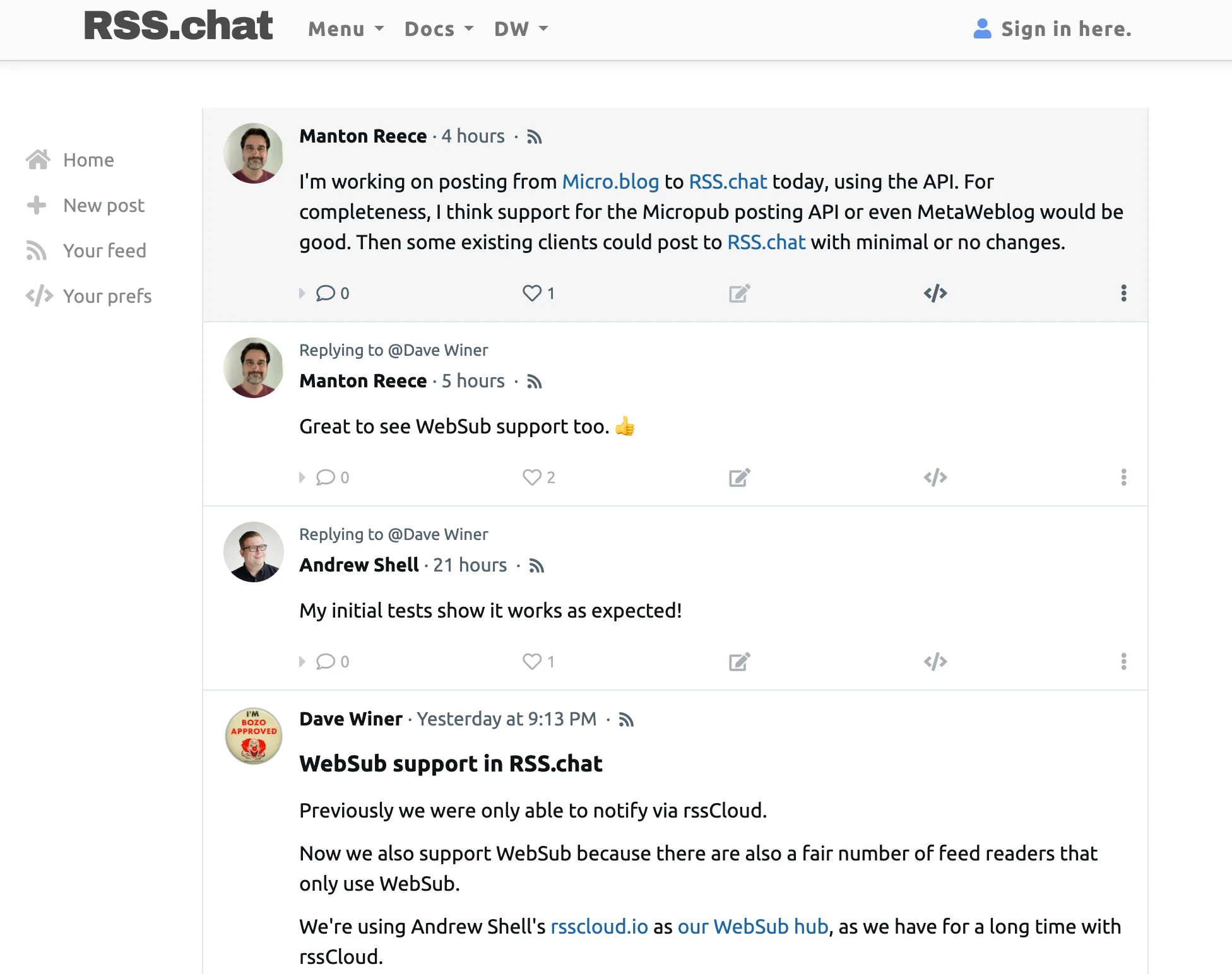
The whole thing confused me initially, and if you have heard about it, maybe it confused you, too. So I spent some time investigating what it is, what it isn't, and - for me - whether it is worthwhile to integrate support for it into my RSS reader.
The first thing to understand is that rss.chat can mean one of three things:
- A set of extensions to RSS that make it more useful for reading posts and comments on the social network, along with several conventions on how to use them, which feeds to publish and where.
- The rss.chat server and client code, hosted on GitHub and written in JavaScript, consisting of a server and an HTML-based client.
- The actual website that runs this application at https://rss.chat/ (.chat is an actual top-level domain).
The RSS extensions
rss.chat uses RSS for three things:
- the posts of a user, exposed at
https://<server>/users/<screenname>/rss.xml - the combined posts of all users, at the path
/users/rss.xml - the comments users wrote to a post, which is linked from the feed above
In some ways, this is similar to the RSS feeds other social networks have exposed, especially Reddit.
If you look at a Reddit RSS feed, the links to the author, the comments, and the post itself are part of the post's HTML:
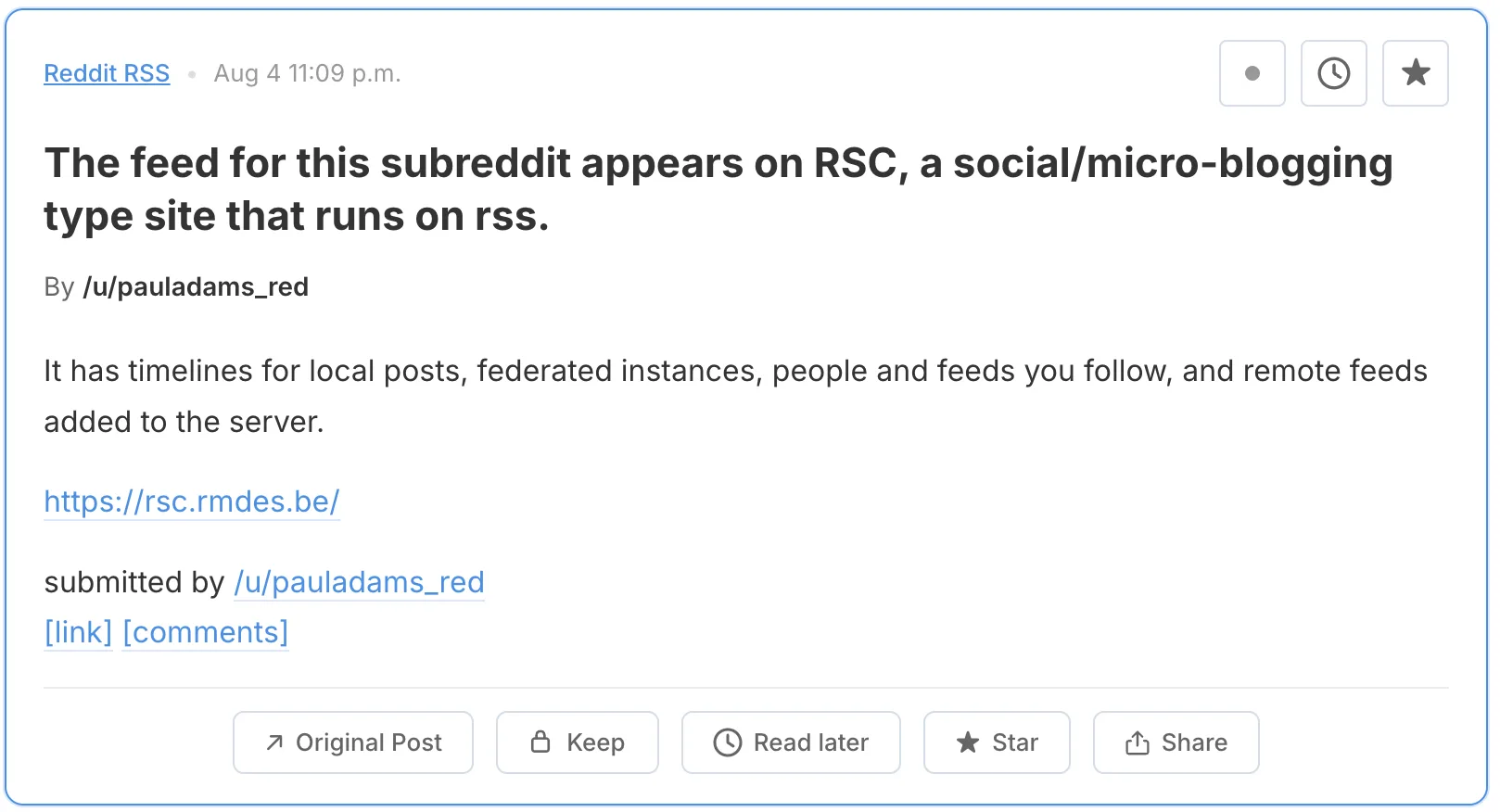
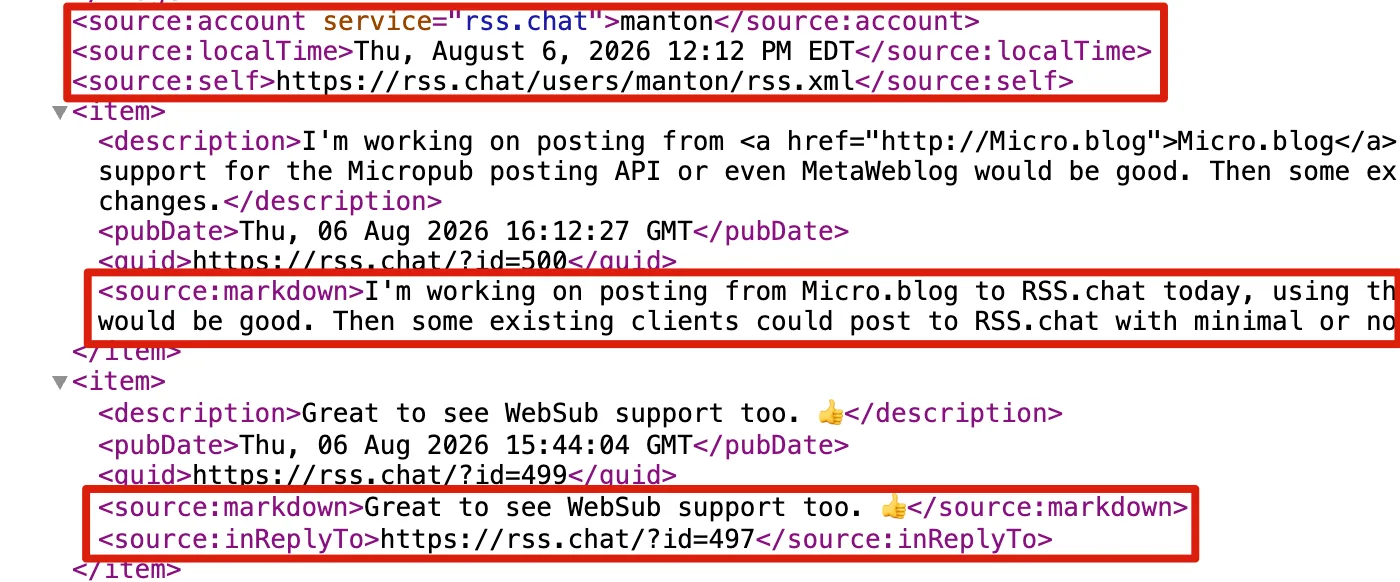
rss.chat instead uses RSS extensions from Dave Winer's source namespace to add this information as machine-readable elements: source:comments links a post to the feed of its replies (including a reply count), source:inReplyTo links a reply back to its parent, and source:markdown carries the author's original Markdown next to the rendered HTML.
This allows RSS-consuming apps to improve how they render posts and comments, and to navigate from posts to comments and back:
But this is where the use of RSS ends: it provides a standardized way for applications to read a social network's posts. You cannot interact with them via RSS, and RSS is not the storage format or anything like that. This is what confused me initially, as I expected a bit more after reading the word "backbone".
Side note: using RSS as a storage format would actually be possible. The blog you are reading right now runs on custom blogging software built on JSON Feed as its backbone. Posts are stored as single-post JSON Feed files. Publishing the JSON Feed means combining them into one. Publishing HTML or the RSS feed is done by formatting the JSON Feed objects with Jinja templates. It may not scale to millions of posts, but it works fine for a single blog.
How rss.chat uses OPML
rss.chat uses OPML to expose a subscription list: one file listing the feeds of all users on a server, available at the conventional address /data/subs.opml and also through the server's API. You can hand it to any feed reader to follow the whole community at once. There is no per-user follow list on the server: who you follow lives in your feed reader, not in rss.chat. And there is no standard yet for modifying these lists remotely.
Limits of the Open Protocols
All the open rss.chat components are read-only. You can read posts and comments, but you cannot create posts or comments using open protocols. That requires the rather proprietary API of the current rss.chat implementation.
Furthermore, rss.chat is intended for small servers, each serving one community. But currently these servers cannot interact: a reply written on one server never reaches the thread on another. I could imagine rss.chat being used as an open Reddit alternative, with each server being the equivalent of a subreddit. But the limit of that model is the lack of interoperability. Users would need a separate profile on each server, each with a possibly different username and without a common reputation system. Depending on how you see it, this is either a massive gap or at least a limitation that makes it unviable as a replacement for one of the major social networks.
The rss.chat server and client code
The rss.chat software is an open-source implementation of the rss.chat conventions, including support for WebSub and rssCloud for near-real-time notification of feed changes. It also implements its own API for everything the open formats do not cover, like publishing posts, likes, and reading whole threads in one call.
The server is remarkably small for what it does: a single file of about 2,600 lines of JavaScript. The client is of similar size, plain JavaScript using jQuery and Bootstrap.
The rss.chat site
And finally, http://rss.chat/ is a website running the rss.chat code. Using its web interface, you can read and write posts after logging in. Third-party software can access posts and comments using RSS. Micro.blog already loads rss.chat conversations by following the comment feeds. It is an actual social network, albeit a small and simple one, proving that the rss.chat format generally works.
Who will use it?
I think the biggest question is whether rss.chat just stays a proof of concept, and its usage remains limited to an experimental server with fewer than 100 active users. Or whether it will be used at a larger scale.
Support from the existing commercial social networking giants like Reddit, LinkedIn, and Facebook is unrealistic at this point, as these companies are currently tightening access to their services to prevent AI companies from training on their data.
There may be an opportunity to create open and independent equivalents to Reddit subreddits and Facebook groups using the rss.chat software. For that, the software would need a lot of work to protect it from bots and spam, and to provide legal compliance for things like the GDPR and DMCA safe harbor. In its current form, operating a larger rss.chat server would be a legal risk. There is also competition from more traditional forum systems like myBB, though you could argue that rss.chat's style is more modern. It is definitely a better fit for small, low-frequency communities: forums with many empty boards are rather depressing.
In my opinion, the RSS extensions for comments are the part most likely to be adopted. It just takes one common CMS or blogging system to adopt them for comments, and many RSS reader applications would be motivated to support them.
Using for blog comments
Right now there are three established RSS extensions for comments, and all are very limited:
- Slash which can be used to display a comment count. It was originally created for the weblog pioneer Slashdot.org, but has since been adopted by other sites.
- The Comment API, which allows linking to an RSS document containing the comments. It does not define what that document should look like, and only allows flat comments. Curiously, it also has a way of submitting comments, but it lacks any spam protection, which makes that part quite useless these days.
- Media RSS, which allows a list of plain-text comments, but without any hierarchy, author names, or anything else that would make it actually usable. I am not aware of any site using media:comments.

The first two are more widespread than you might think: WordPress feeds carry slash:comments and the Comment API's wfw:commentRss element by default. The source comment extensions used in rss.chat cover the same ground more coherently - one element that carries both the count and the link to the comments feed, plus threading via source:inReplyTo - and could be a good replacement for all three.
Conclusion
So what does rss.chat provide? An interoperable way to give RSS readers and other applications read access to a social network with the common feeds/posts/comments structure. It is not foreseeable that it will be adopted by any major social network, even though technically it could.
And a working implementation of this system with a small community using it, which at the moment is closer to a proof of concept than to an actual social network.